The CRM that sells property, not just stores contacts.
Portal leads, WhatsApp, calls from agents' own phones, listings, off-plan launches, mortgage numbers and AI lead scoring — in one system your agents will actually open every morning.
Leads and messages arrive from
Twelve modules. One client record. Zero copy-paste.
See every enquiry, and what happens next
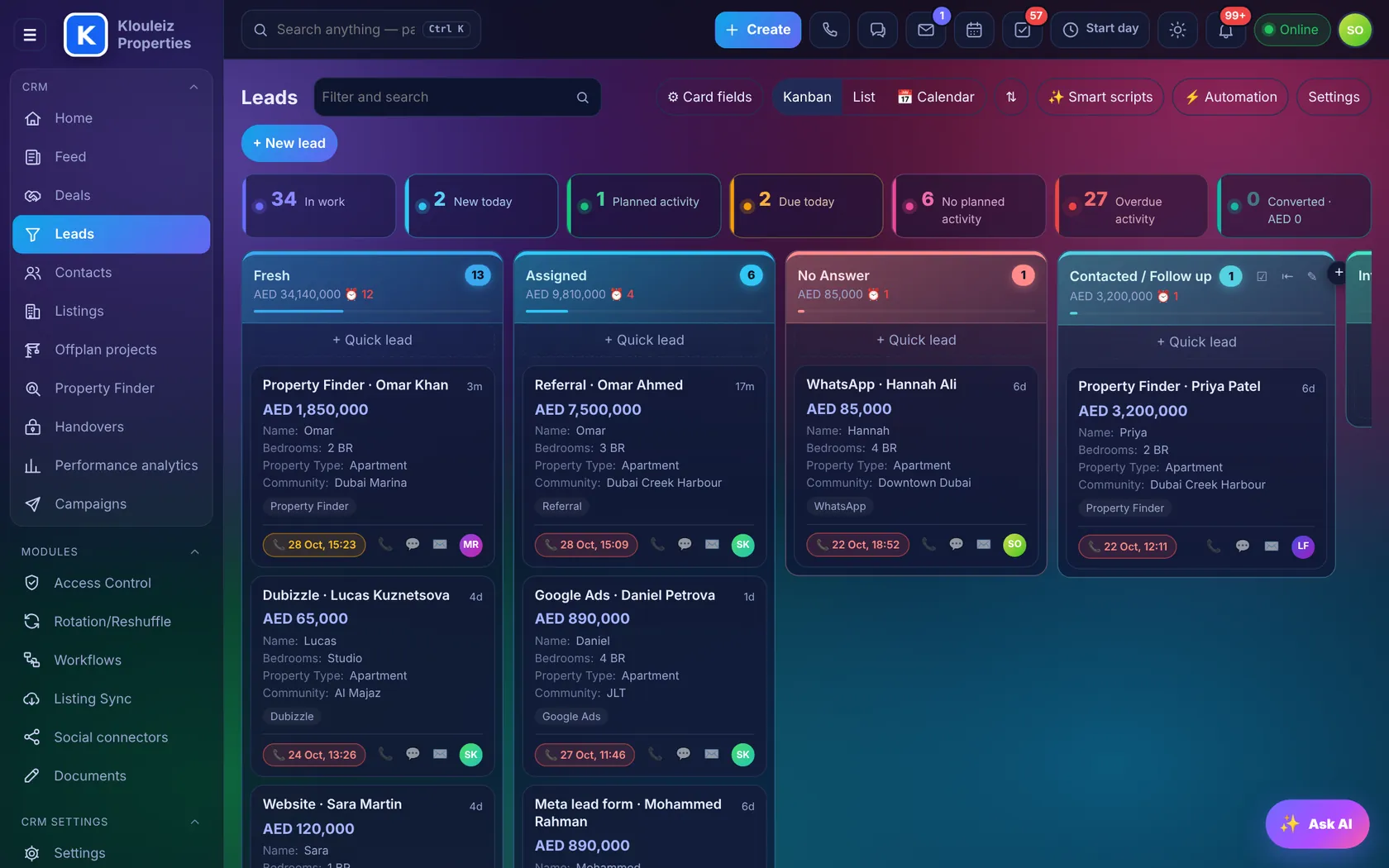
Each pipeline is a board. The tiles on top show what needs attention: new today, planned, due today, overdue and converted.
- Stages that match your processFresh → Assigned → Contacted → Viewing → Offer, with failed stages such as Wrong Number or Agent / Broker.
- Required fields per stageA lead can't reach "Viewing" without a budget, area and viewing date.
- Kanban, list or calendarChoose the fields on each card, save filters, bulk-assign, merge duplicates, import from Excel.
- One-click actionsCall, WhatsApp, e-mail or plan the next activity straight from the card.
Real screen from Klouleiz CRM, demo data
The whole story of a client on one screen
Contact details on the left, the timeline on the right. Everything that happened with the client is there: calls, WhatsApp, viewings, comments and stage changes.
- To-do and historyPlanned calls, meetings and tasks on top, with Done and Reopen. History below, newest first.
- @mention a colleagueThey become an observer of the lead and get notified.
- Convert to dealPick the pipeline (Sales or Rentals). The contact and the selected listings move with it, and the deal opens straight away.
- Activity logEvery change, who made it and when, including rotation and automation.
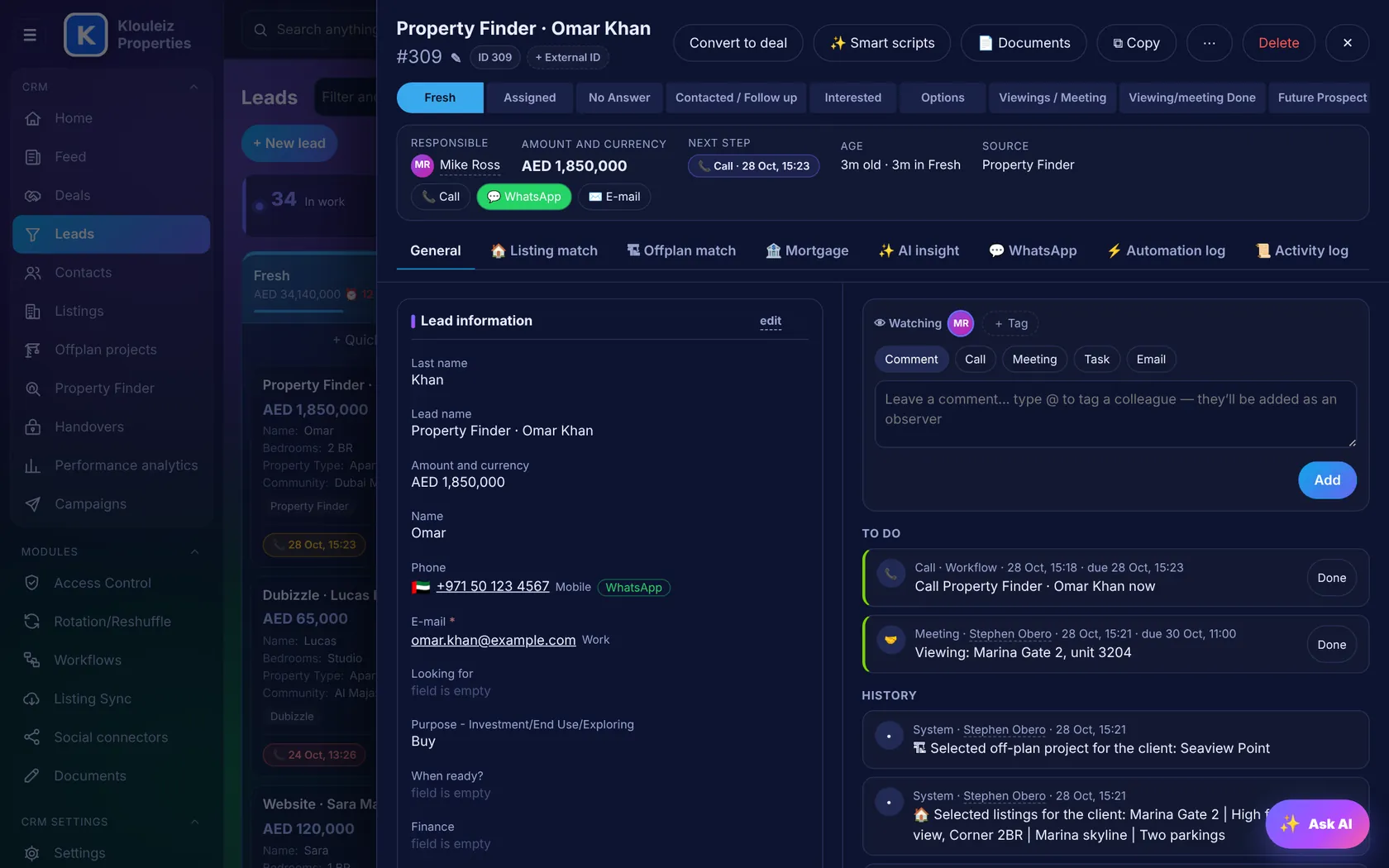
Lead card with timeline, demo data
Know which lead to call first
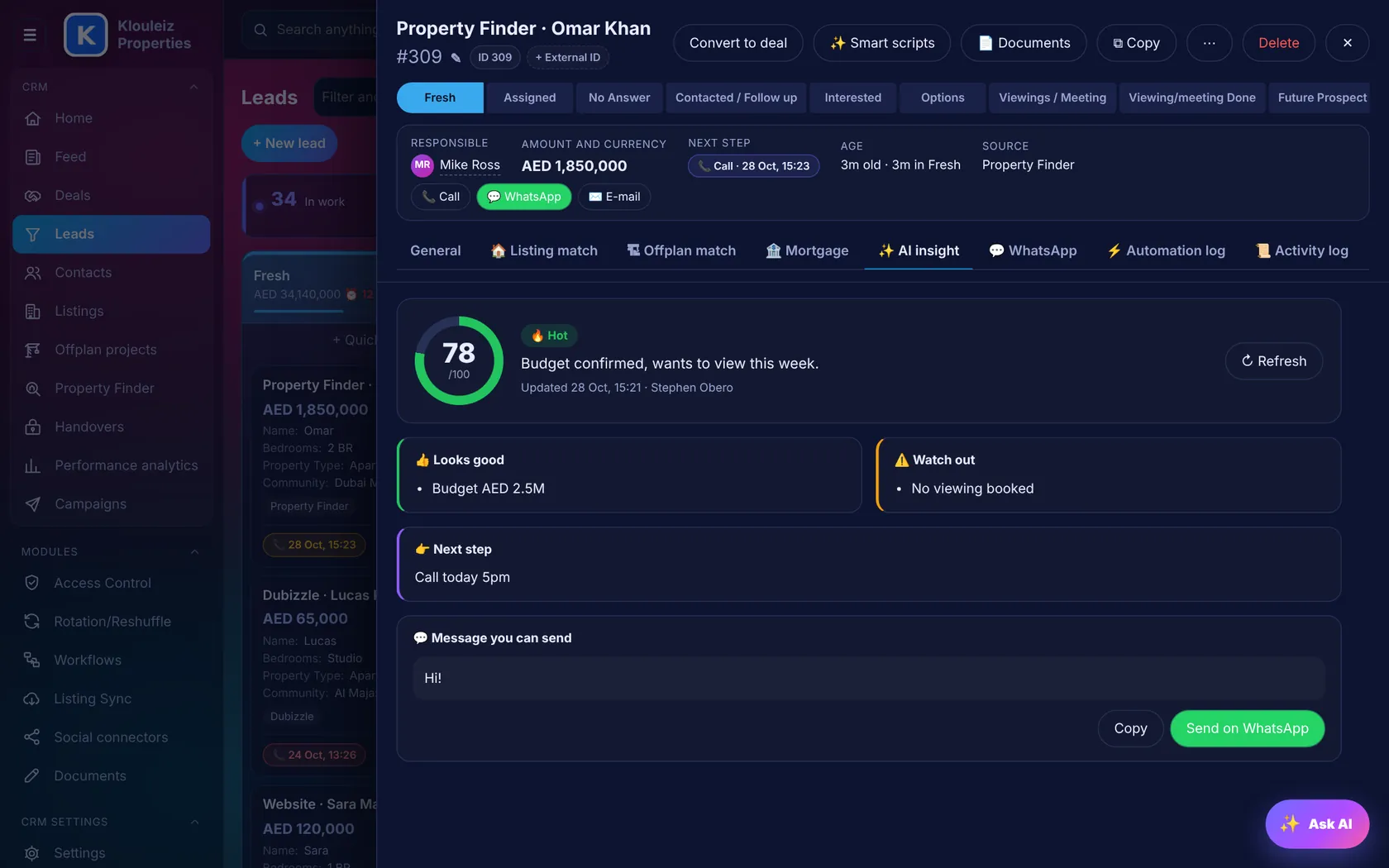
Every lead gets a score from 0 to 100, with what looks good, what to watch out for, the next step and a message ready to send.
- Reasons, not just a number"Budget confirmed", "No viewing booked", "Phone has too many digits for a UAE number".
- Message you can sendA WhatsApp follow-up written for this client, sent with one click.
- Ask AI"What should I do today?", "Add a lead for Sara, 2 BR JVC" — it works within each person's access rights.
Choose your AI
Works with Claude, ChatGPT or Gemini. Paste your company key and the CRM detects which one it is.
Settings › AI assistantScores refresh on their own
When a lead changes stage, gets a call or a reply, the score and next step update.
Hot · Warm · ColdInsights for managers
Top performer, leads waiting beyond the SLA, peak hours and lead loss, written in plain words above every report.
Performance analyticsA shortlist for every client in seconds
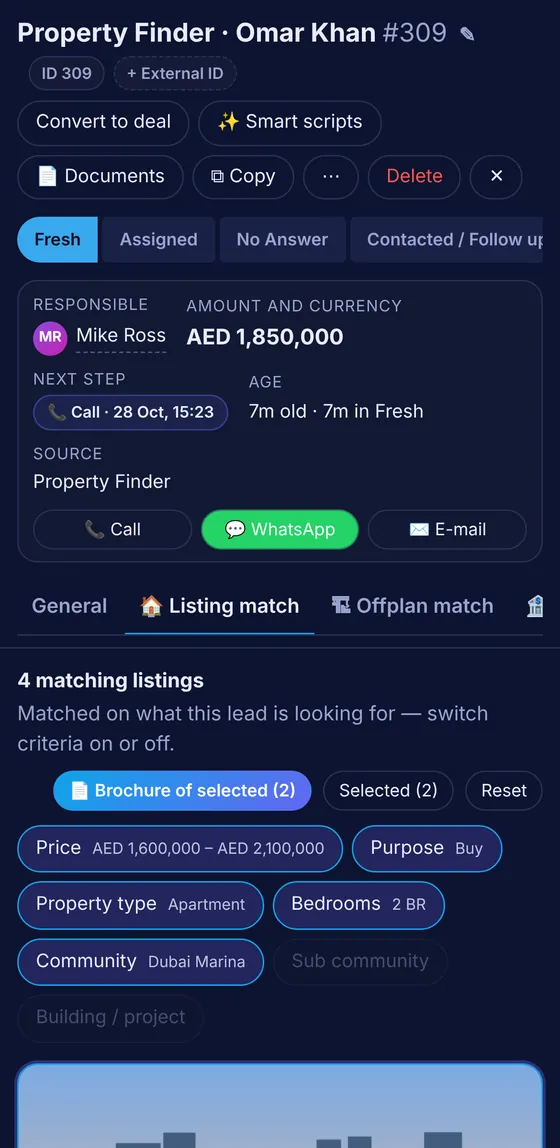
Open a lead and the CRM finds the listings and off-plan projects that fit their budget, purpose, type, bedrooms and area.
- Switch criteria on and offPrice, purpose, type, bedrooms, community, sub community, building or project.
- Closest matchesWhen nothing fits exactly, the nearest ones show what's off, such as "price +3%". Offices and shops are not matched on bedrooms.
- Select → timelineEach selected listing is written to the timeline at once, and goes with the client when the lead becomes a deal.
- Branded brochureOne or many properties with your logo, photos, price, payment plan, amenities and the agent's WhatsApp. Print or save as PDF, with a "hide prices" switch.
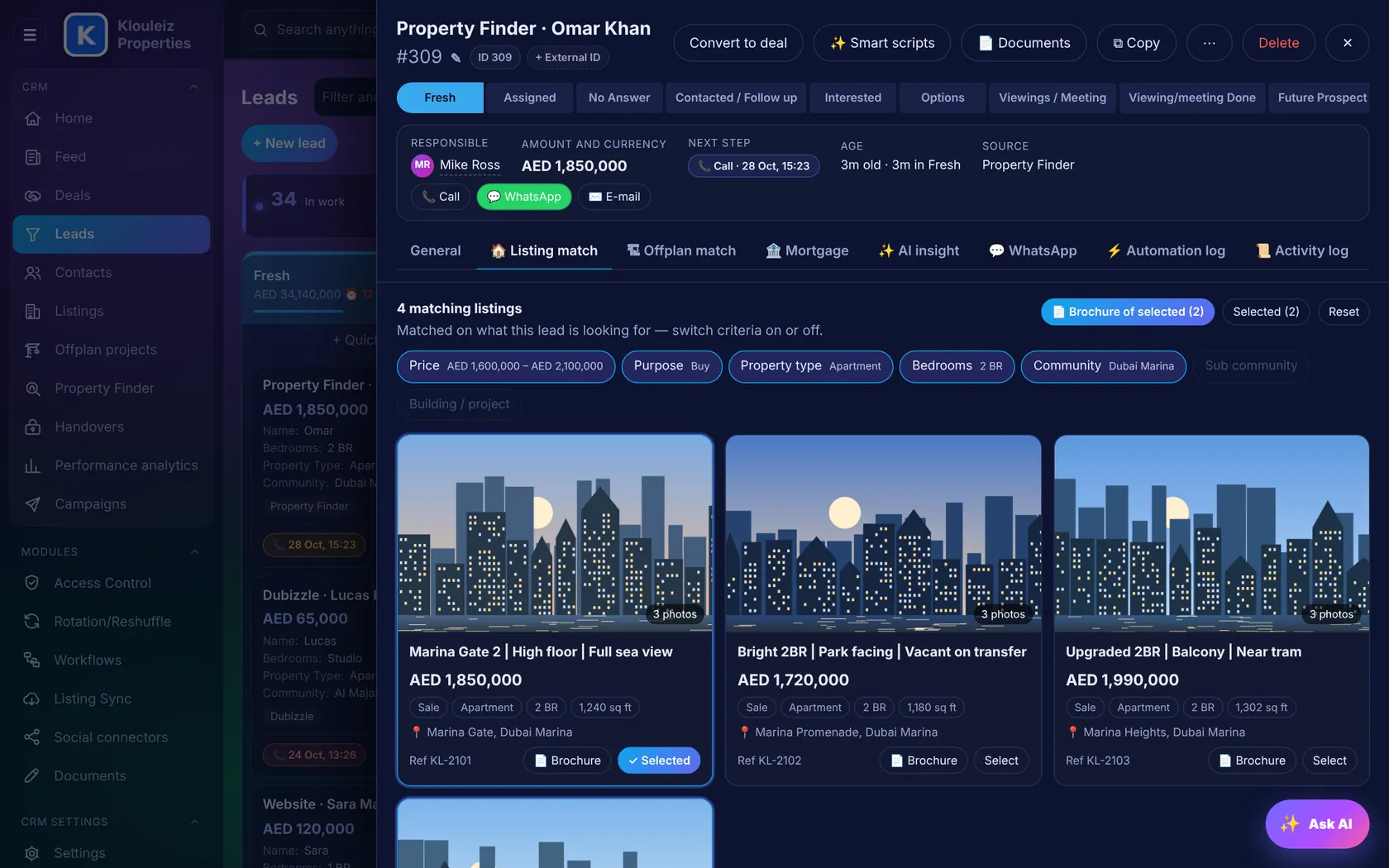
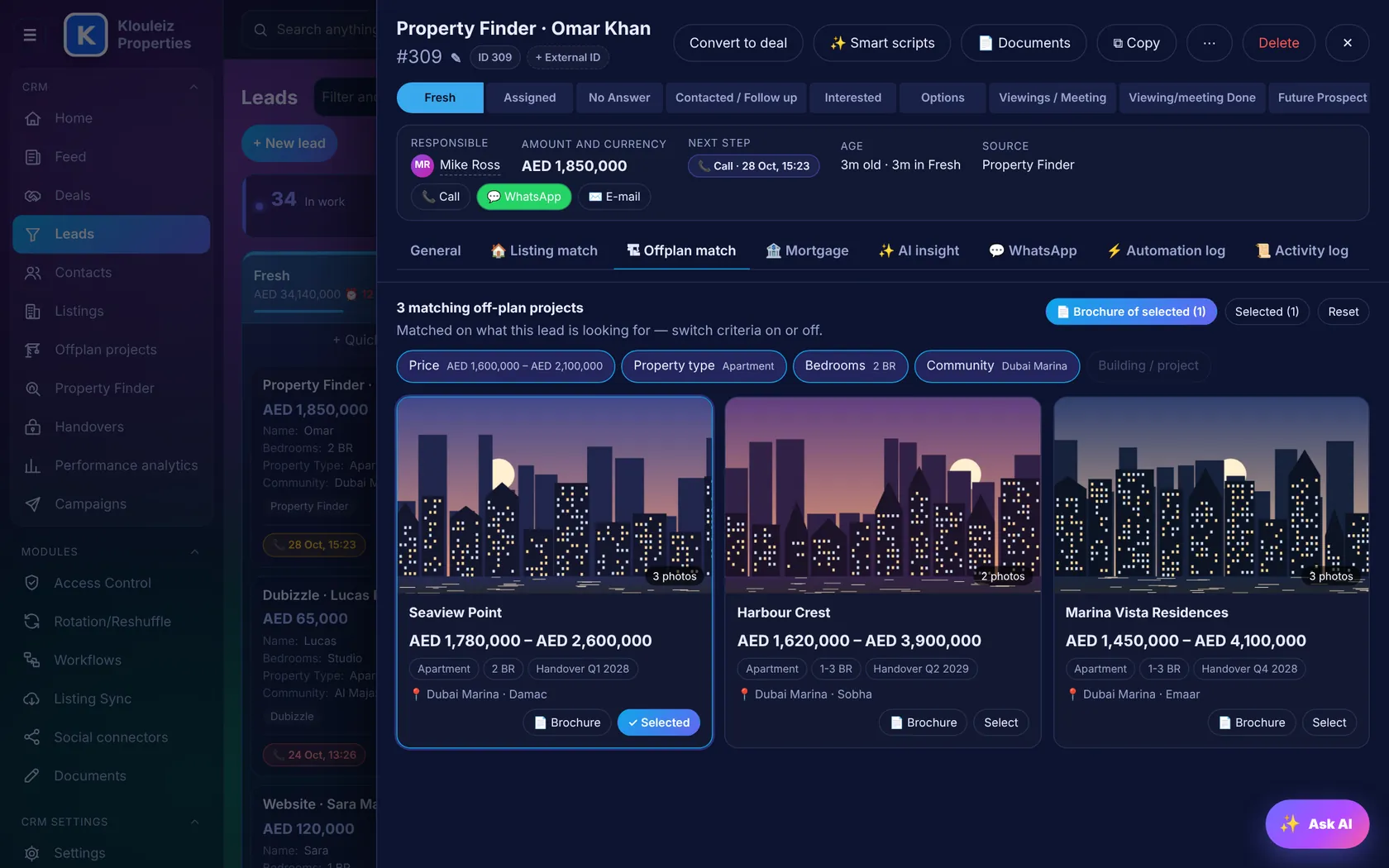
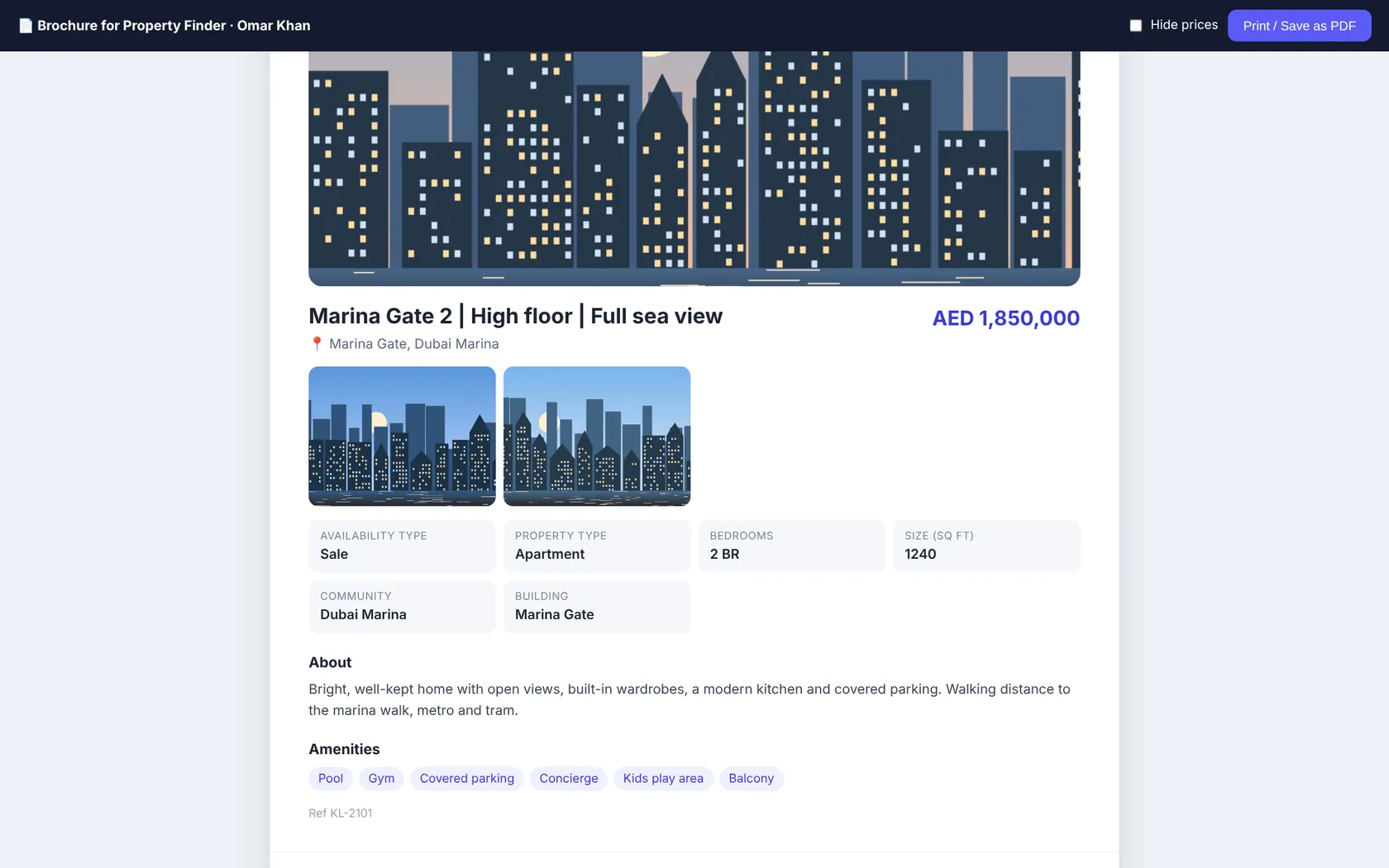
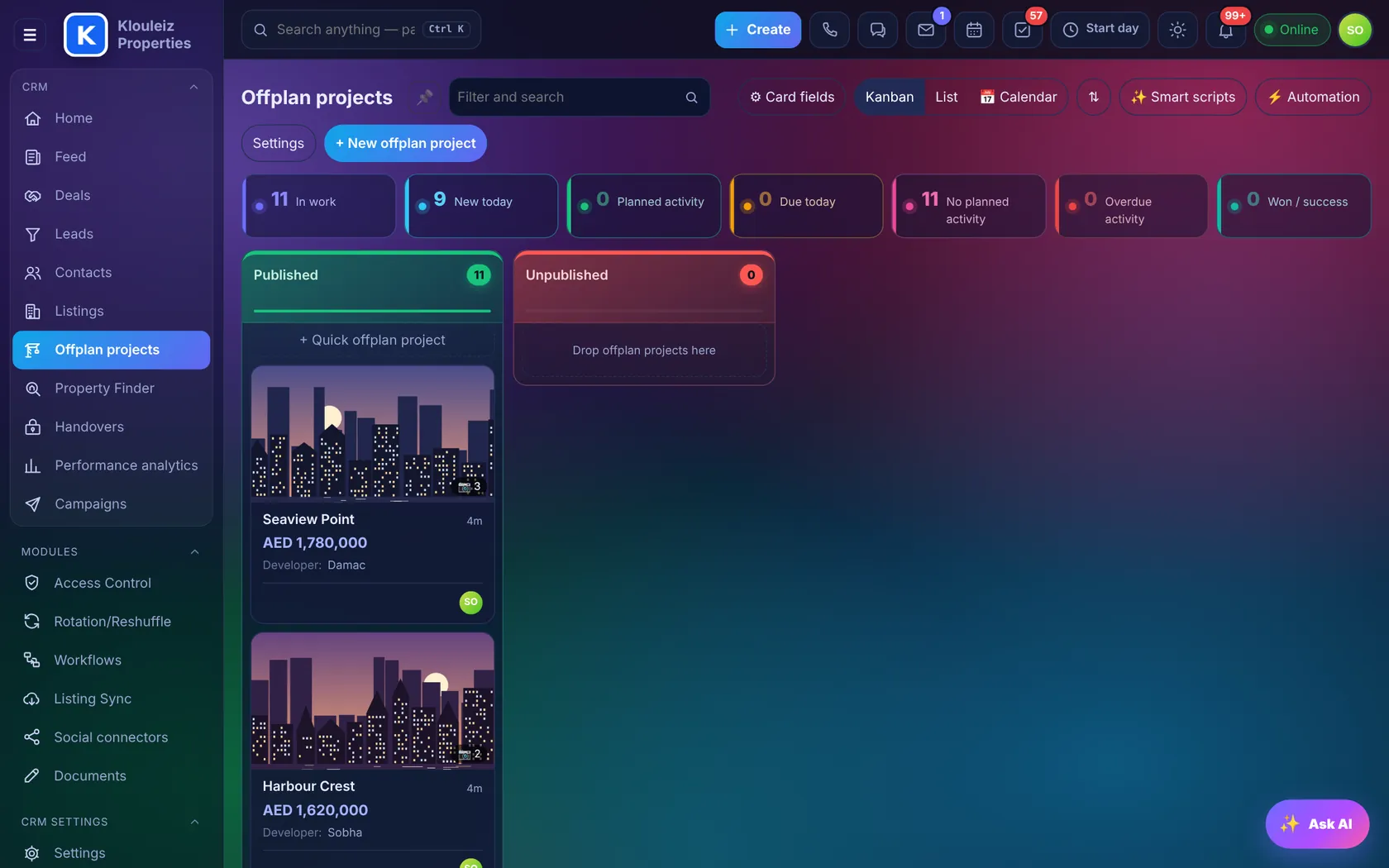
Photos load through the CRM and skip to the next one if a source image fails
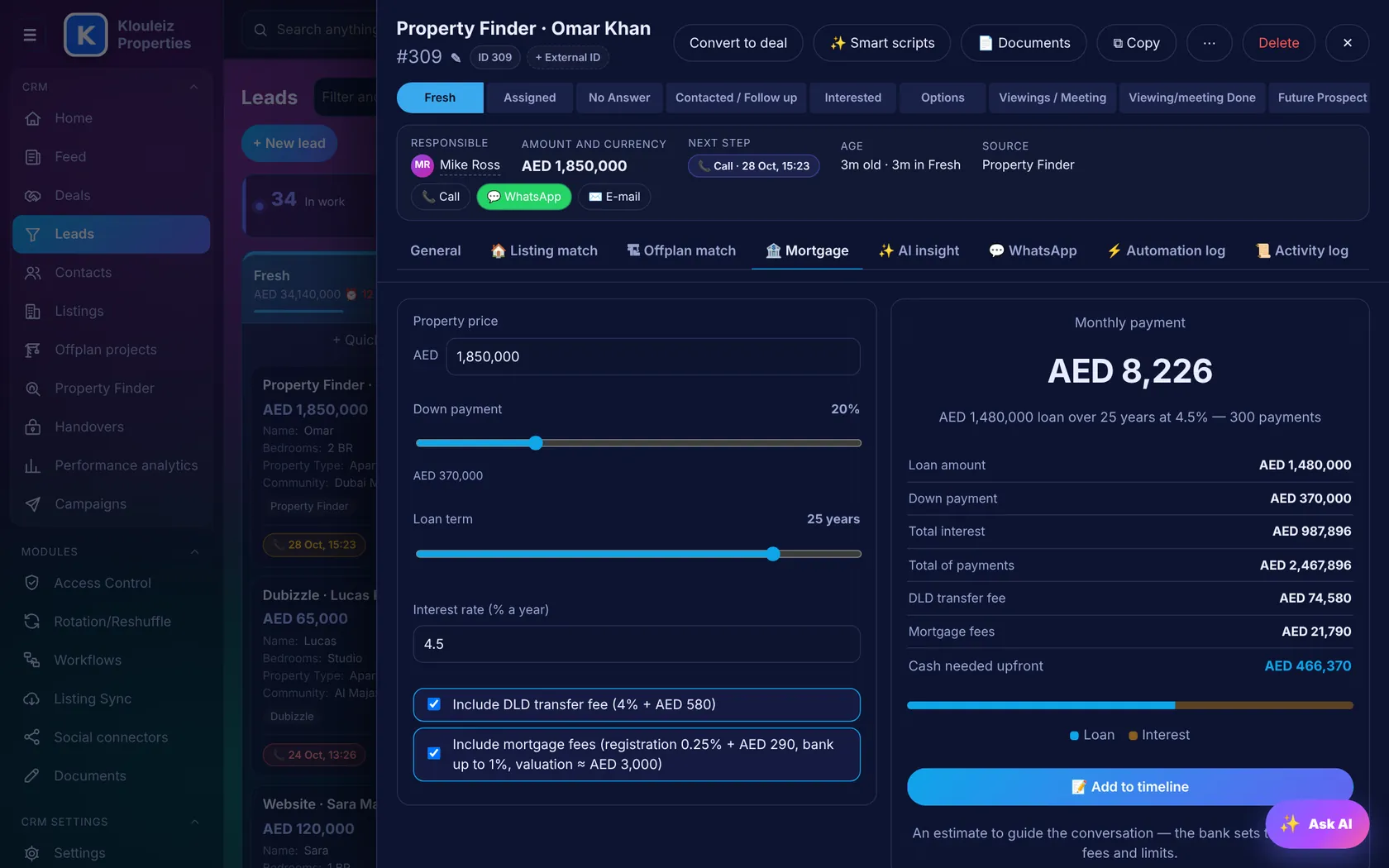
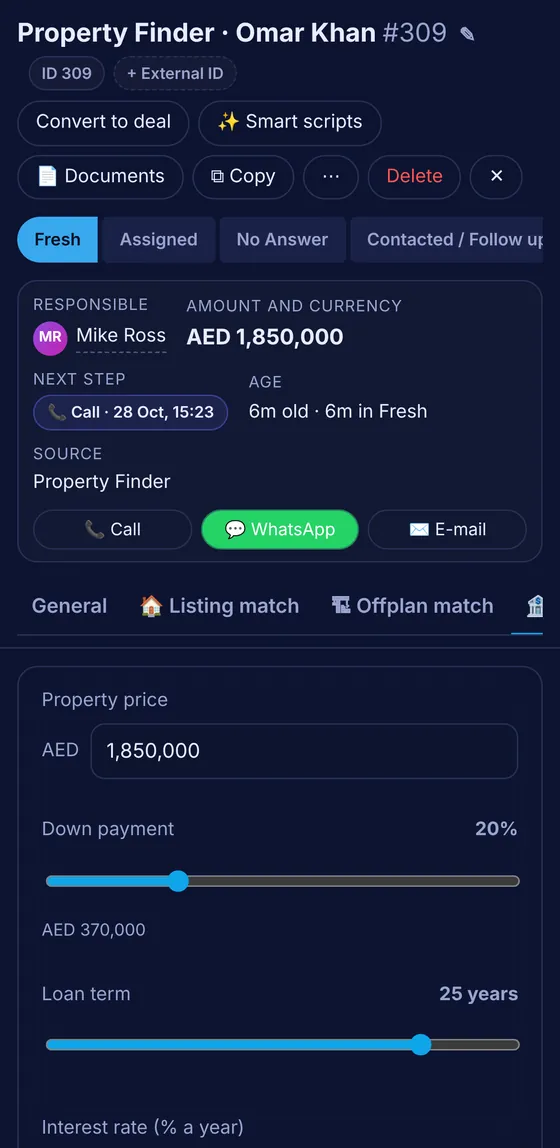
Answer "what will I pay a month?" on the call
Inside every lead and deal. The price comes from the lead, and the result goes on the timeline with one click. Try it here:
- UAE costs includedDLD transfer 4% + AED 580, mortgage registration 0.25% + AED 290, bank fee up to 1%, valuation about AED 3,000.
- Bank rules as hintsWarns below 20% down or above 25 years, the usual limits for residents.
An estimate to guide the conversation. The bank sets the final rate and fees.
Every call from agents' own phones, logged
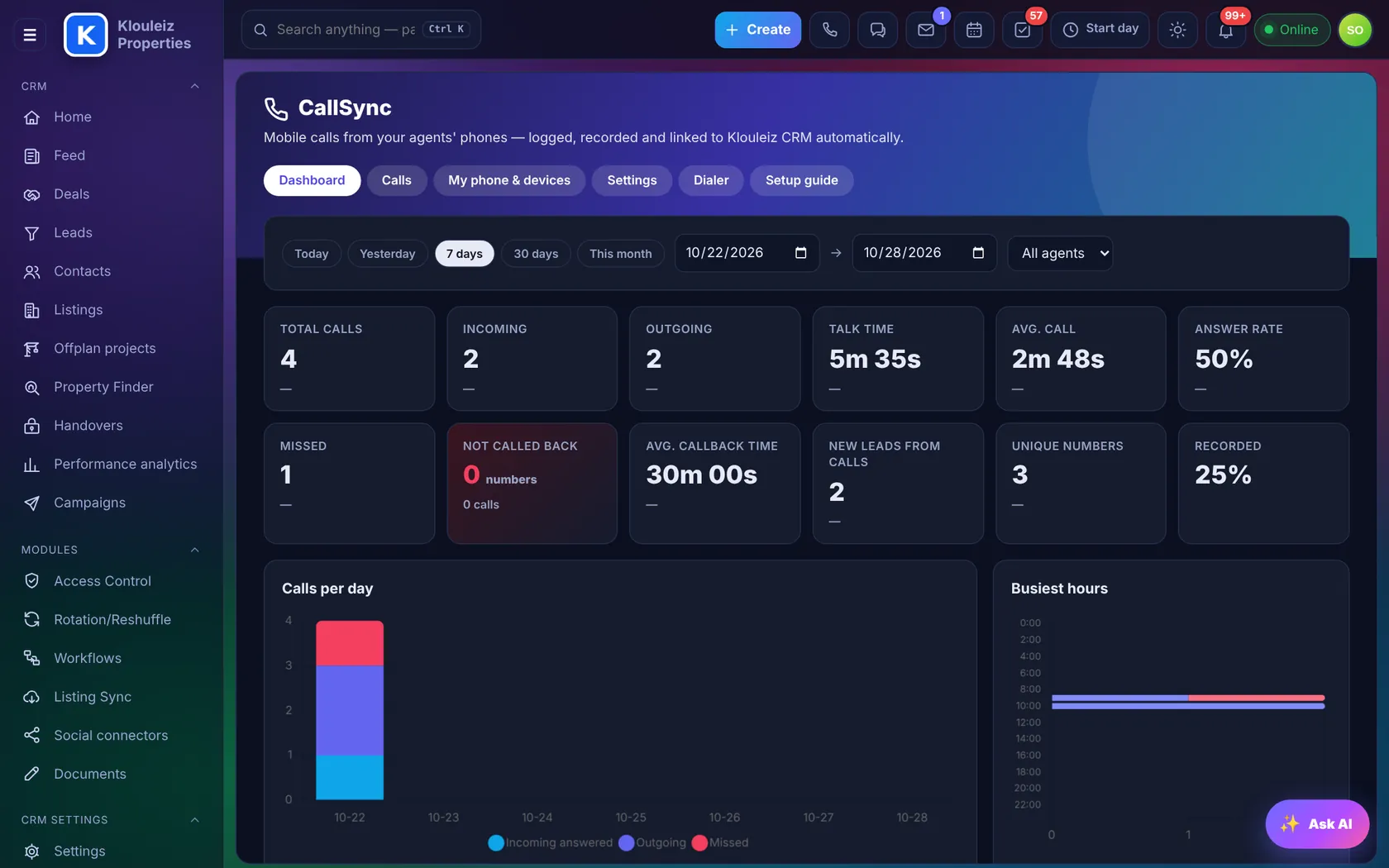
Agents keep their Android phone and SIM. The CallSync app sends each call to the CRM with its result, duration, recording and location.
- DashboardTotal, incoming, outgoing, talk time, answer rate, missed, not called back, average call-back time and new leads from calls, compared with the previous period.
- Calls listAgent, number, client or "new lead", result, duration, ▶ recording, 📍 location and whether the client was called back.
- Missed call → taskA call-back task with a deadline, closed automatically when the agent calls back.
- Unknown number → leadChoose incoming, all or never. Move leads to a stage after an answered, missed or rejected call.
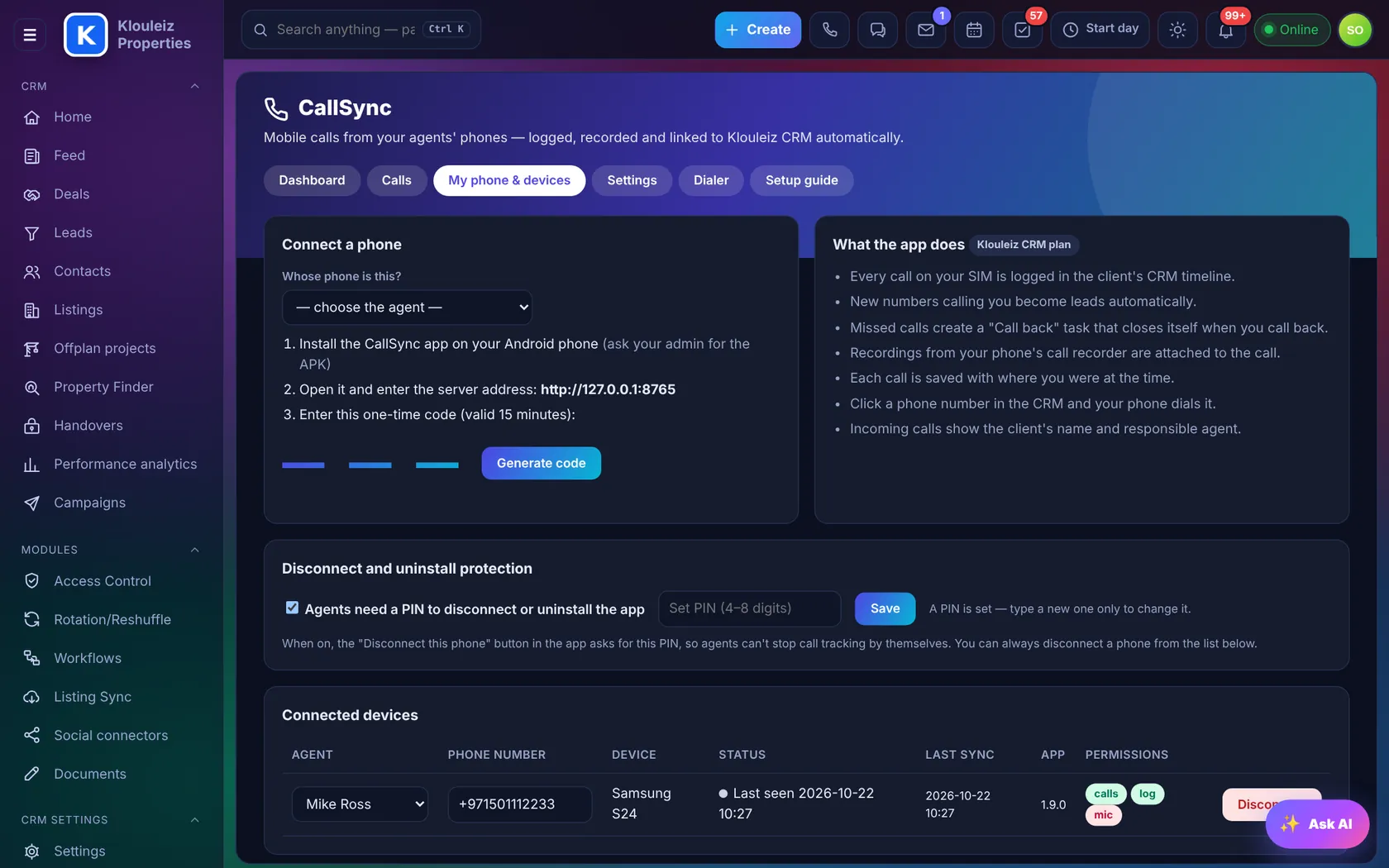
- Dialer and click-to-callTick leads, press ☎ Dialer, and the phone calls them one after another. Click any number in the CRM and the phone dials it.
- Pair in a minuteInstall the app, enter the server address and a 6-digit code. Optional PIN to stop agents disconnecting it.
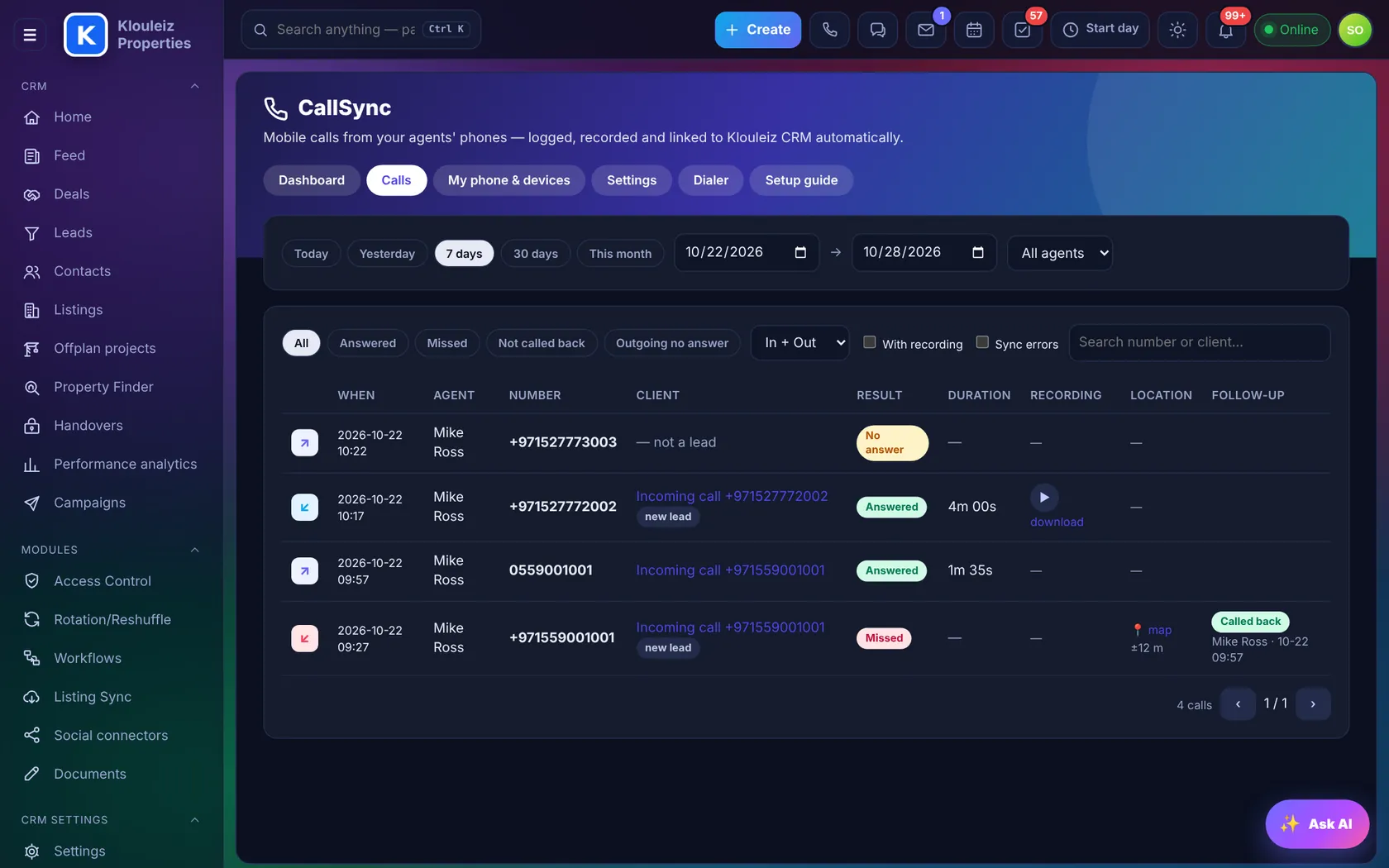
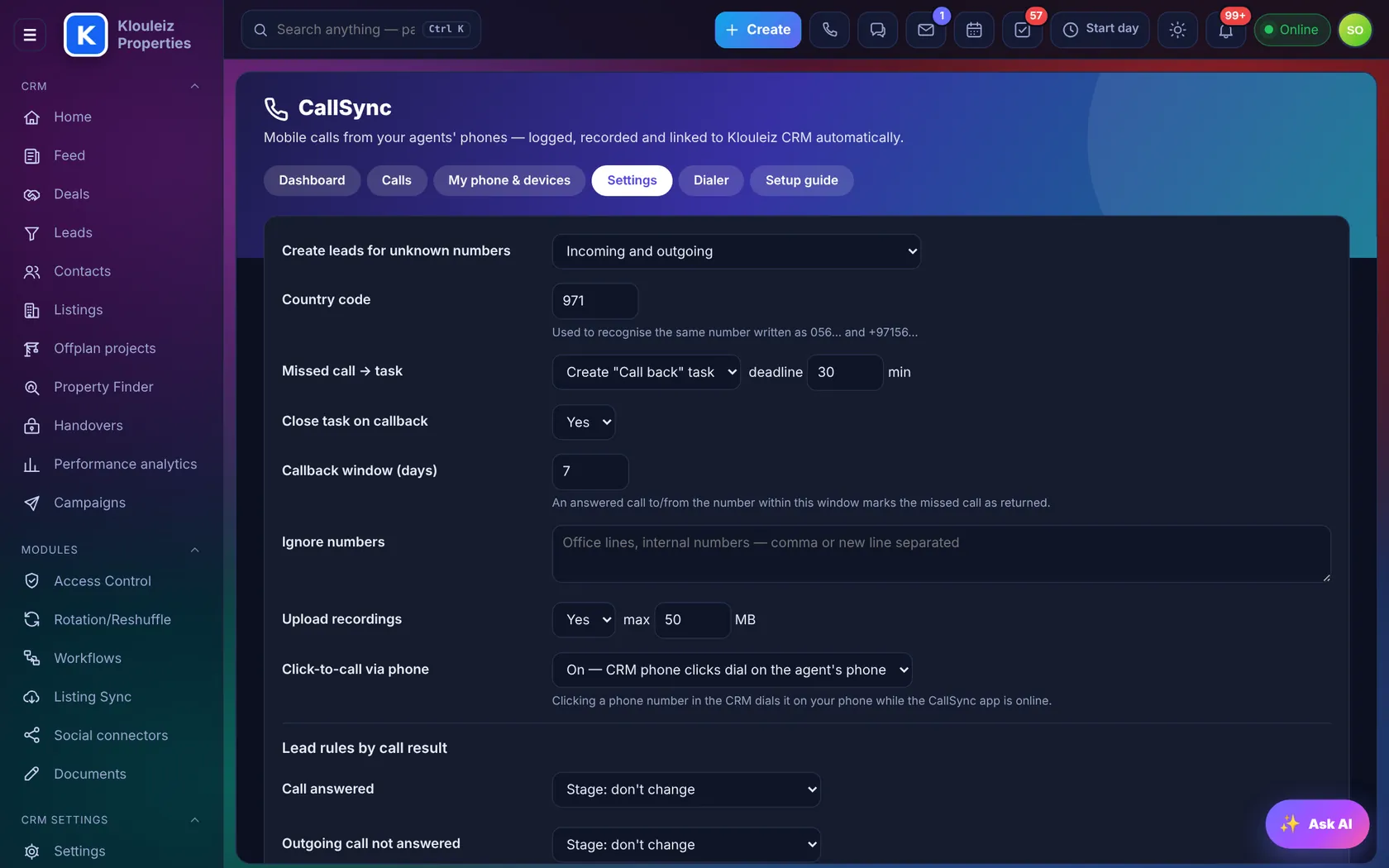
Every CallSync call also appears on the client's timeline with the recording
Office lines, cloud numbers and mobiles together
Connect your 3CX or Asterisk PBX, rent cloud numbers with browser calling, and add CallSync phones. All calls land in one list.
- Call details and statisticsBy employee, line, direction and status, with recordings and export to Excel.
- Calls in the browserAnswer and dial from the CRM with the client's card already open.
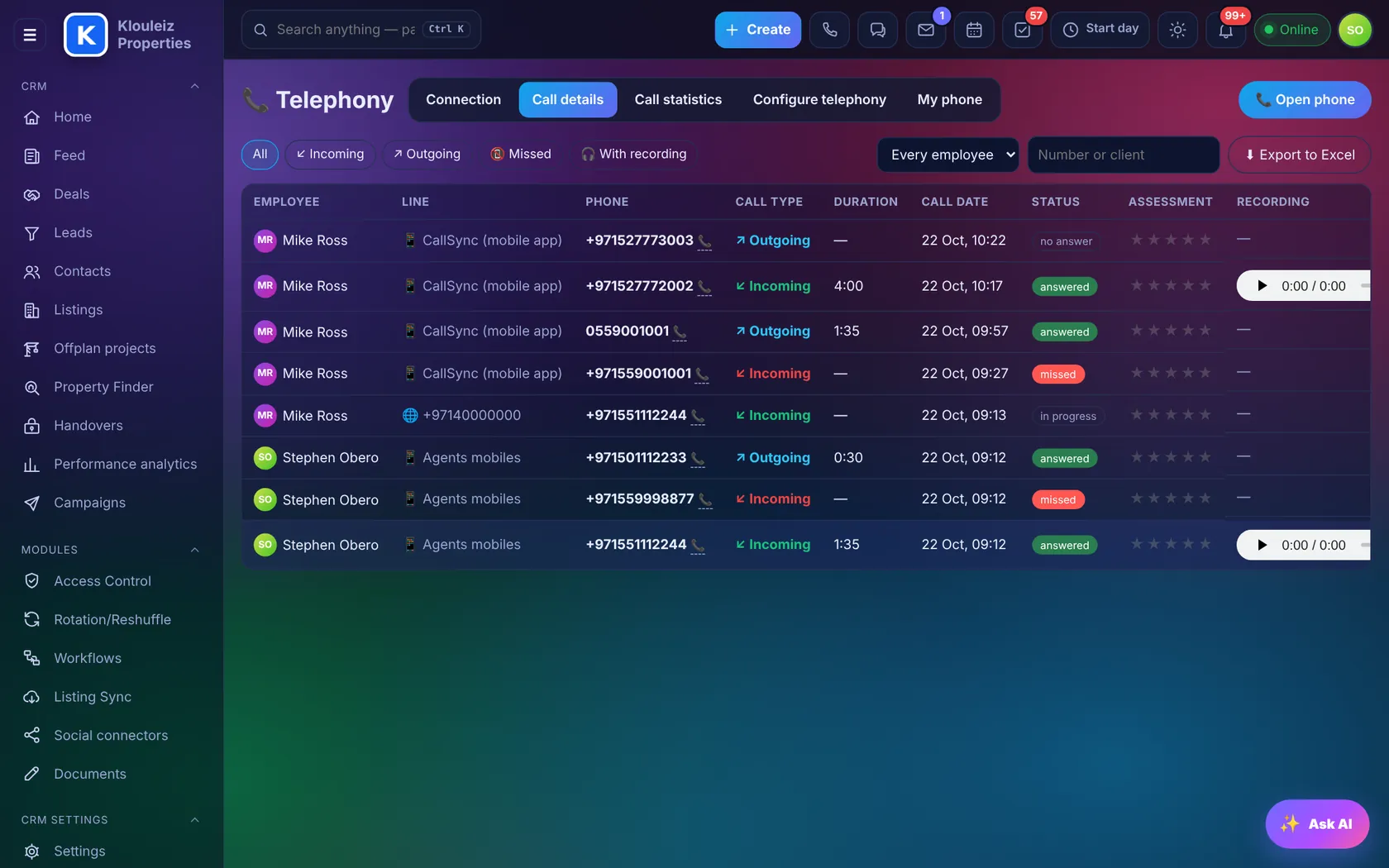
Fair lead distribution that never sleeps
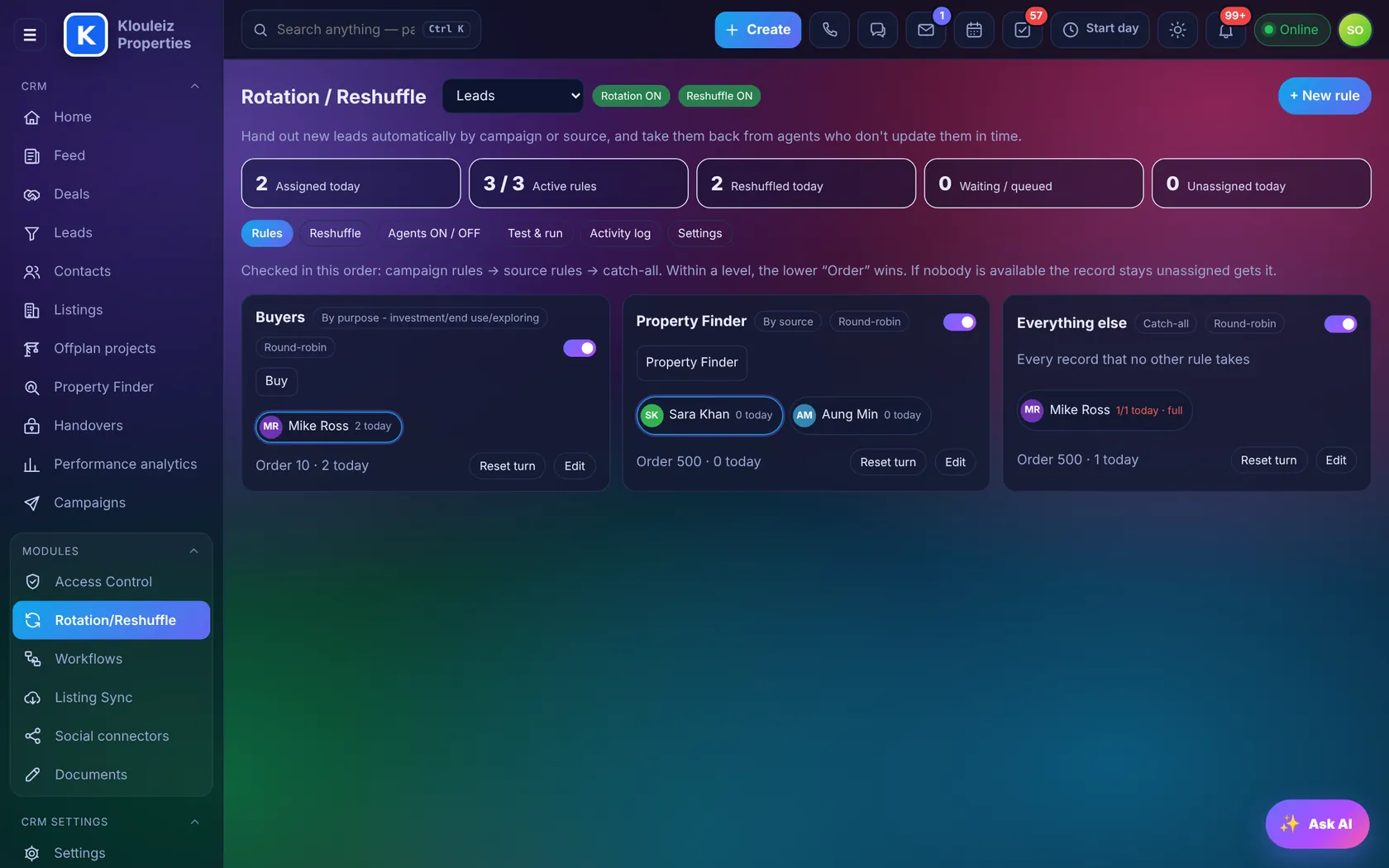
Rules hand out new leads by campaign or source, and take them back from agents who don't update them in time.
- Rules per sourceProperty Finder to the secondary team, TikTok to off-plan, everything else round robin.
- ReshuffleNo update within the time limit? The lead moves to the next agent, and the log says why.
- Agents on / offLeave and days off are respected. Test a rule before switching it on.
Follow-ups that happen on their own
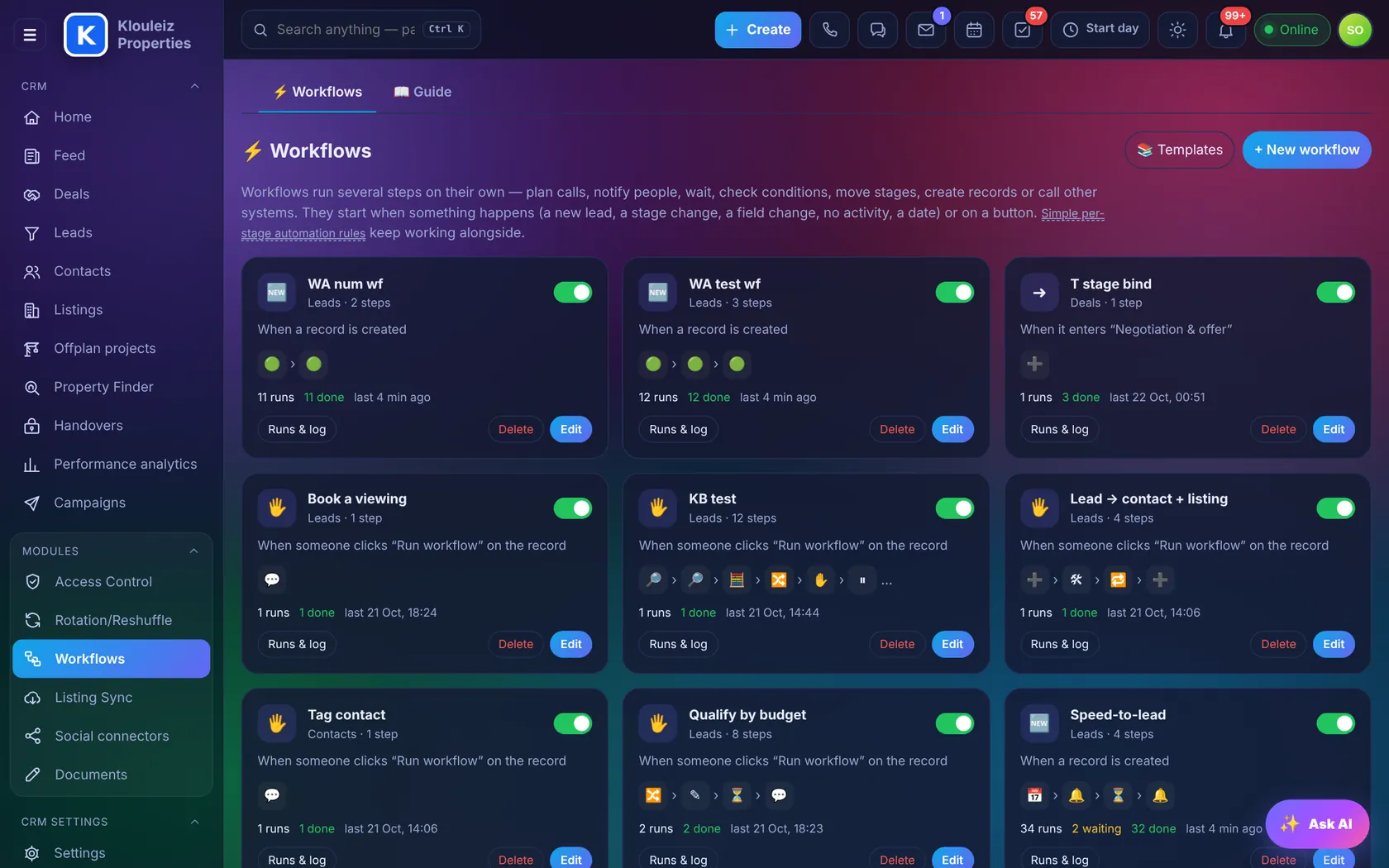
Simple rules for each stage, such as "in No Answer, plan a call in 1 day". Or full workflows with conditions, approvals and messages.
- TriggersRecord created, stage changed, field changed, or run by hand from a record.
- StepsPlan a call, notify, send WhatsApp or e-mail, update fields, create linked records, ask for approval.
- Run logEvery run with what it did, so you can trust it.
Coach the team with real numbers
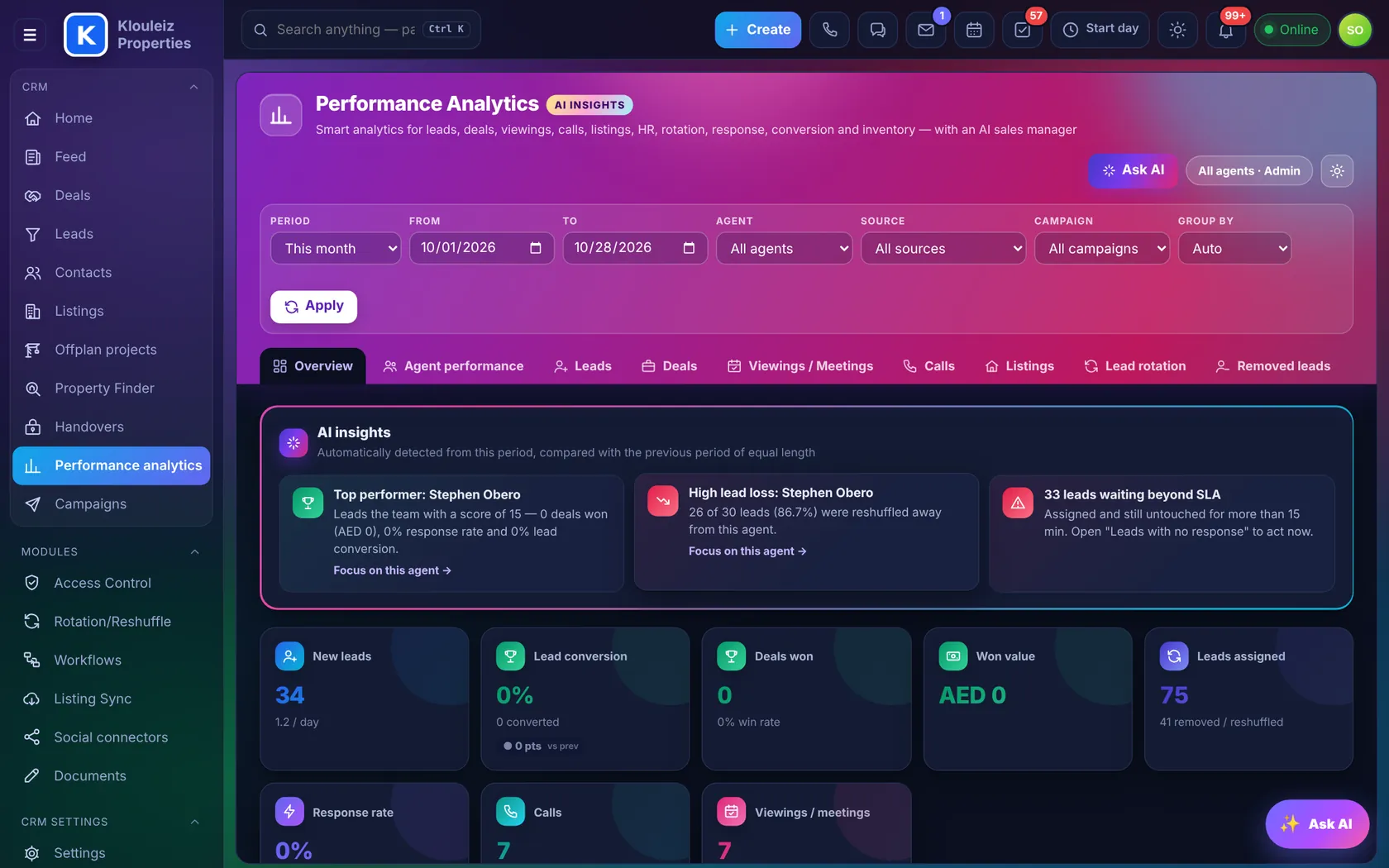
New leads, conversion, deals won, response rate, calls and viewings, each compared with the previous period.
- Agent score 0–100Response, conversion, deals won, value and activity, with tiers Star, Strong, Developing and At risk.
- Coaching cardStrengths, main drag, change since last period and a 7-day action plan for each agent.
- Filter everythingPeriod, agent, source, campaign, by day, week or month.
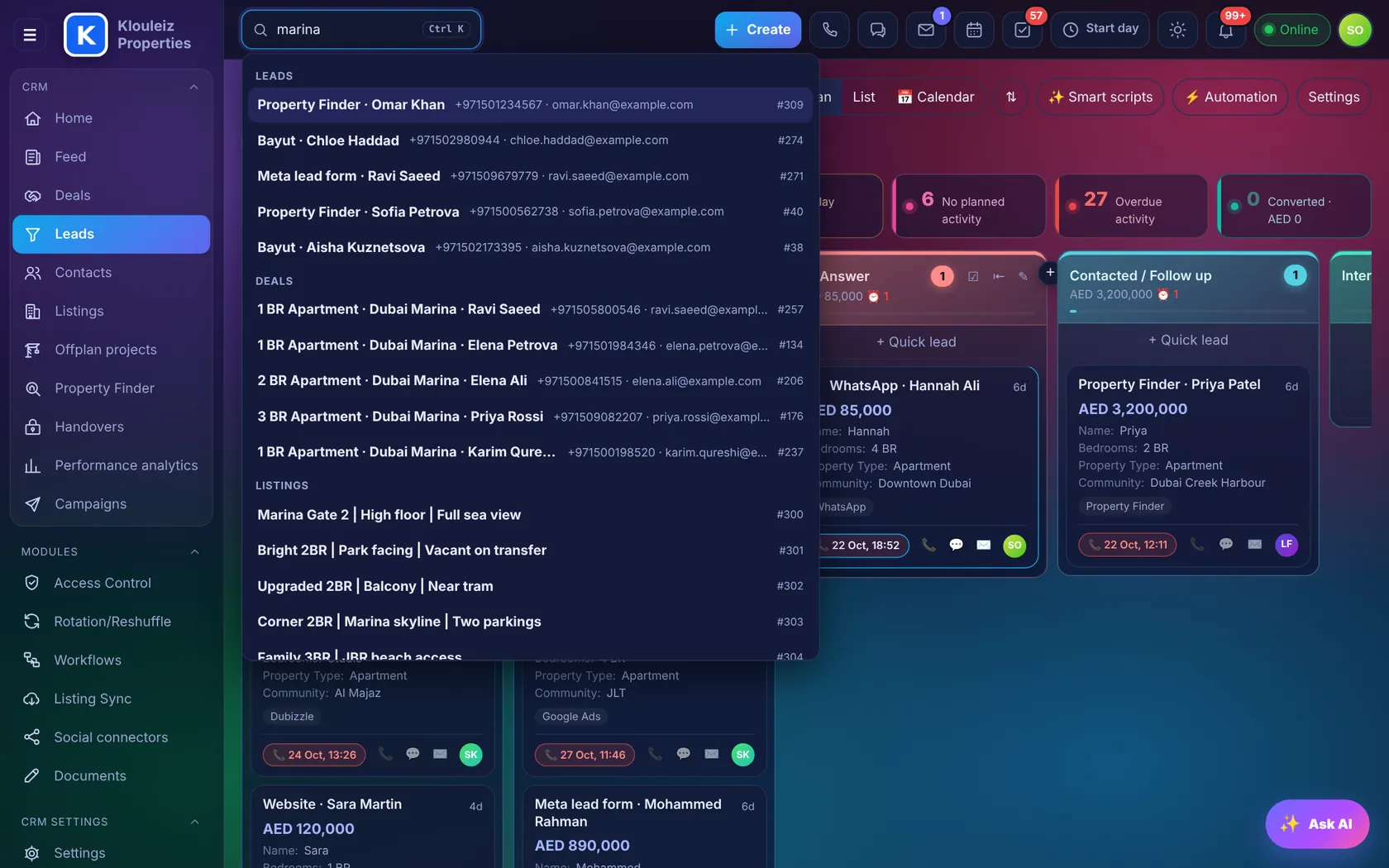
Press Ctrl K. Find anything.
One search box for pages, modules, settings, leads, deals, contacts, listings, projects, tasks, employees, Drive files and help articles.
- Phone numbers tooType any five digits and matching numbers come up.
- Keyboard first↑ ↓ to choose, Enter to open.
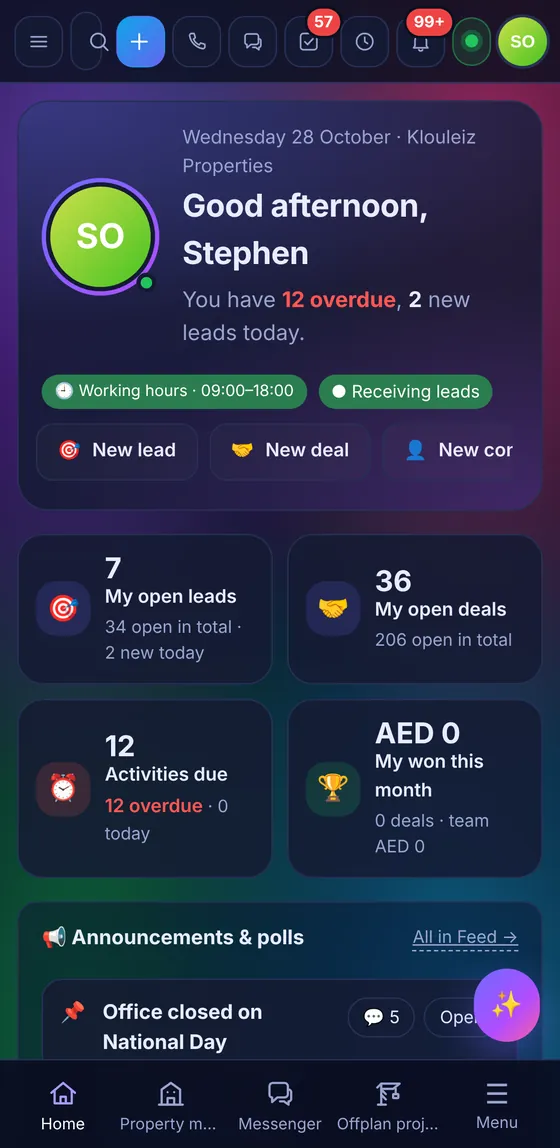
The full CRM in your agents' pockets
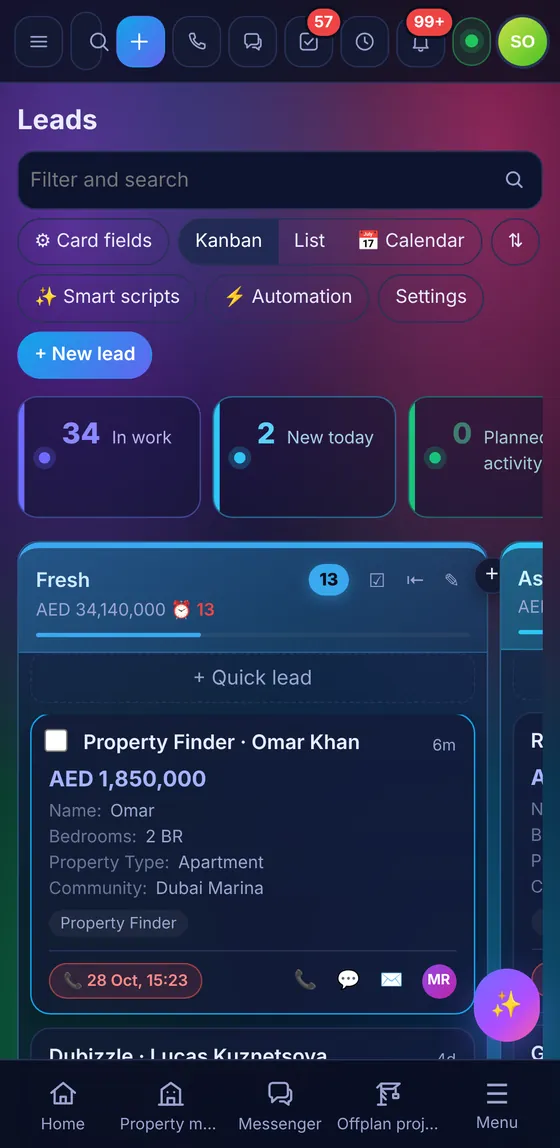
Install it on iPhone or Android from the browser. Push notifications for new leads, one-tap call and WhatsApp, and a bottom bar each agent sets up.
One Property Finder lead, from enquiry to viewing
From Property Finder, with the listing it came from. Duplicates merged by phone.
Rotation picks the next Marina agent who's online.
AI gives it 78: budget confirmed, no viewing yet.
From the agent's own phone. CallSync saves the recording.
Three matches selected, brochure sent on WhatsApp.
Saturday 11:00 booked. Mortgage estimate on the timeline.
Built in, not bolted on
WhatsApp per agent
Each agent links their own number with a QR code. Chats live on the lead.
Portal publishing
Property Finder and Bayut publishing, credits at a glance, DLD permit checks.
Offplan Sync
Projects pulled from a feed or a website, with photos and payment plans.
Inbox
Website chat, Meta, TikTok and e-mail in one inbox with fast replies.
Tasks & projects
List, kanban, planner and Gantt, with deadlines and reminders.
Calendar
Viewings, meetings and calls for you and the team, synced with Google.
Offers & invoices
Word templates filled from the deal: sales offer, booking form, commission invoice.
Feed, HR & work time
Announcements and polls, employee profiles, attendance and leave.
Managers see everything. Agents see what's theirs.
Access rights by role
Who can read, add, change, delete or export, per module and per stage. Hide fields such as the owner's phone.
Sign-in protection
Two-factor sign-in, approved devices, session control and a full log of every change.
Your server, your data
Runs on your own cloud server. Bring your history from Bitrix24, Zoho, Salesforce, HubSpot or Pipedrive, and export to Excel or CSV whenever you like.
Before you book a demo
Can we move from Bitrix24, Zoho, Salesforce, HubSpot or Pipedrive?
Yes, straight over their API. Connect the old CRM with a webhook or token, check how its stages and people map to yours, and the CRM copies contacts, leads and deals with their owners, sources, amounts and original dates. Running it again updates what was already copied instead of creating duplicates. Spreadsheets work too, through Excel or CSV import.
Do agents need WhatsApp Business API?
No. Each agent links their own WhatsApp by scanning a QR code, and conversations are saved on the lead's timeline.
Does CallSync work on iPhone?
CallSync is an Android app, because Android lets an app read the call log and recordings. iPhone users can still use click-to-call, telephony lines and the phone app.
Which AI does lead scoring use?
Your choice of Claude, ChatGPT or Gemini, with your company's own key. The assistant only sees what the person asking is allowed to see.
Can we change the stages, fields and modules?
Yes. Pipelines, stages, fields and your own modules (viewings, handovers, owners) are set up from Settings, without code.
How long does setup take?
Most teams start in a few days: we connect the portals and WhatsApp, import your data and train the agents.
See it with your own listings
We set up a demo with your portal leads and a sample of your listings, then walk your team through it.
- 30 minutes, online or at your office
- Your data, your stages, your sources
- Setup plan for your team size